
Powerful photo editing suite
When editing, converting and even managing images on a Mac, the obvious choice can tend to be to use iPhoto, Aperture or Lightroom. GraphicConverter (formerly known as GraphicConverterX) is not as well known, even though it's definitely a contender.
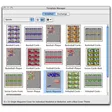
Most recently, GraphicConverter has been updated with a slick new Cocoa interface which makes it look more like iPhoto. Regular users may or may not like this shift closer to iPhoto but it does make GraphicConverter slightly easier to use. The functionality is till pretty much the same though. GraphicConverter comes with two browsing views which let you dig in deep in folders and find your images. It can also convert images into most of the popular image formats out there.
Although there clearly aren't as many editing tools as in Aperture or Lightroom, GraphicConverter comes with a very wide list of filters and effects that you can place onto your images all of which are accessible from the menu bar. GraphicConverter lacks the more advanced web sharing features that are integrated into iPhoto however.
Thanks to a revamped interface plus some powerful and accessible features, GraphicConverter is a solid photo application for managing, converting and editing your pictures.
New features: hcp import added option "ignore file in convert&modify if destination does exist" added added context menu entry to resolve an alias added option for better interpolation for small images in the slideshow added IPTC support for XMP:Rights added option to enable splotlight comment support added performance optimization manual added "Do Export if Name" batch Updated features: Swedish translation Updated improved some dialogs for localized versions added some shortcuts for the format selection kind popup menu get / set file iptc via AppleScript does now support the contact fields updated EexifTool Bug fixes: possible hang upon opening an image with some old or corrupted prefs settings fixed fixed an issue with the update of a text field in combination with a slider fixed a possible crash during slideshow of images with a lot of exif entries
Changes
New features: hcp import added option "ignore file in convert&modify if destination does exist" added added context menu entry to resolve an alias added option for better interpolation for small images in the slideshow added IPTC support for XMP:Rights added option to enable splotlight comment support added performance optimization manual added "Do Export if Name" batch Updated features: Swedish translation Updated improved some dialogs for localized versions added some shortcuts for the format selection kind popup menu get / set file iptc via AppleScript does now support the contact fields updated EexifTool Bug fixes: possible hang upon opening an image with some old or corrupted prefs settings fixed fixed an issue with the update of a text field in combination with a slider fixed a possible crash during slideshow of images with a lot of exif entries






























User reviews about GraphicConverter X
Have you tried GraphicConverter X? Be the first to leave your opinion!